The American developer "Nick Lee" shared a way to run android on iPhone .
And he used a Nexus 5 , lightning cable and mAh battery.

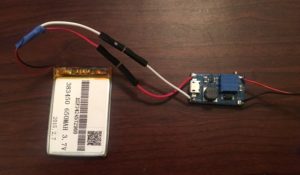
Taking advantage of the open source nature of the Android OS, Lee used the tools from Google’s Android Open Source Project to build an app that would allow his iPhone to run using Android’s latest version, 6.0.1 Marshmallow. He started with an embedded Android HiKey development board and linked it up with a lithium-polymer battery pack with an an integrated protection circuit to prevent things like explosions and giant fireballs. Lee also needed to use a boost converter voltage regulator that would allow the battery pack’s 3.7 volts to run the HiKey. Unfortunately, there were still some hardware issues that he would need to sort out before he could get everything working.

“While the initial power-on was successful, complete system failure occurred upon connecting a lightning cable between my iPhone and the HiKey. After some multimeter-fueled investigation, I concluded that the iPhone was simply drawing too much current, and the battery couldn’t supply enough to run the HiKey and charge the phone. No biggie — I added a resistor between the USB ports +5V pin and the lightning cable, limiting the current to a reasonable amount. I couldn’t simply clip the 5 volt line as iOS seems to disable USB data transfer unless power is also connected. Life lesson: V=IR is your friend,” Lee writes on the Tendigi blog.


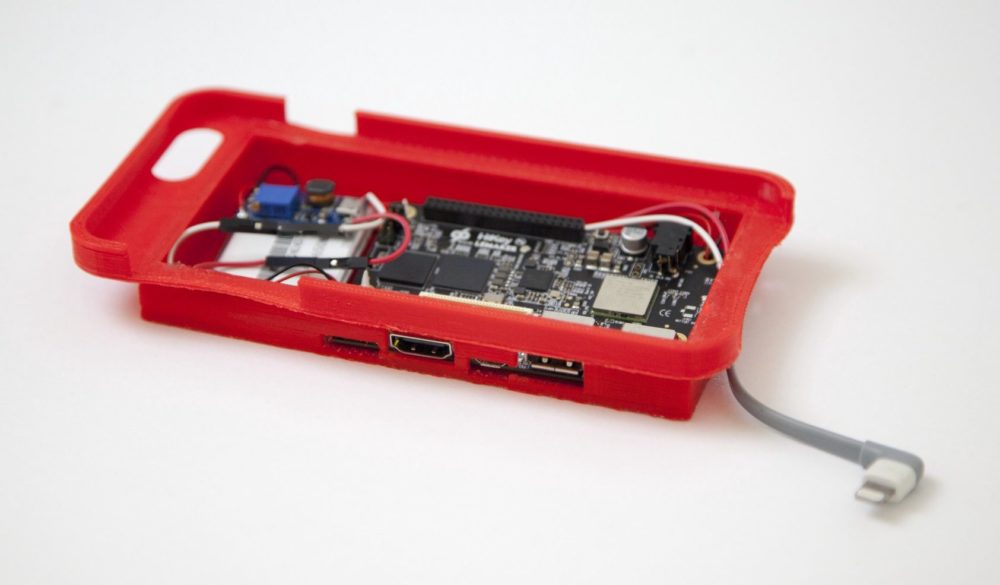
Once Lee had all of the hardware issues worked out he turned his attention to designing an enclosure for all of the new hardware that he needed for this hack to work. He was initially going to use the casing from an existing external battery pack, but that ended up not being a workable solution. He decided to give 3D printing a try, and quickly adapted an iPhone 6 Plus case that he found on Thingiverse, using Sketchup to fit all of the new components. Because Lee didn’t have a 3D printer, and has never used one before, he ended up buying himself a da Vinci 2.0 Duo 3D printer from XYZprinting. At under $500 Lee figured that buying a 3D printer was preferable to paying a local 3D printing service provider $50 a pop for each iteration of his case design.